- Why Your Brain Notices the Router More Than You Think
- The Real Problem with Open Shelving and Routers
- How to Hide a Router in Open Shelving: 7 Methods That Actually Work
- Cable Management Room by Room
- The LED Problem: Small Lights, Serious Sleep Disruption
- Signal-Safe Styling: What Not to Do
- Styling the Tech Shelf: Making a Utility Object Look Intentional
- Renter-Friendly Versions of Every Solution
- Frequently Asked Questions About Hiding a Router on Open Shelving
- The Invisible Home: A Worthwhile Project
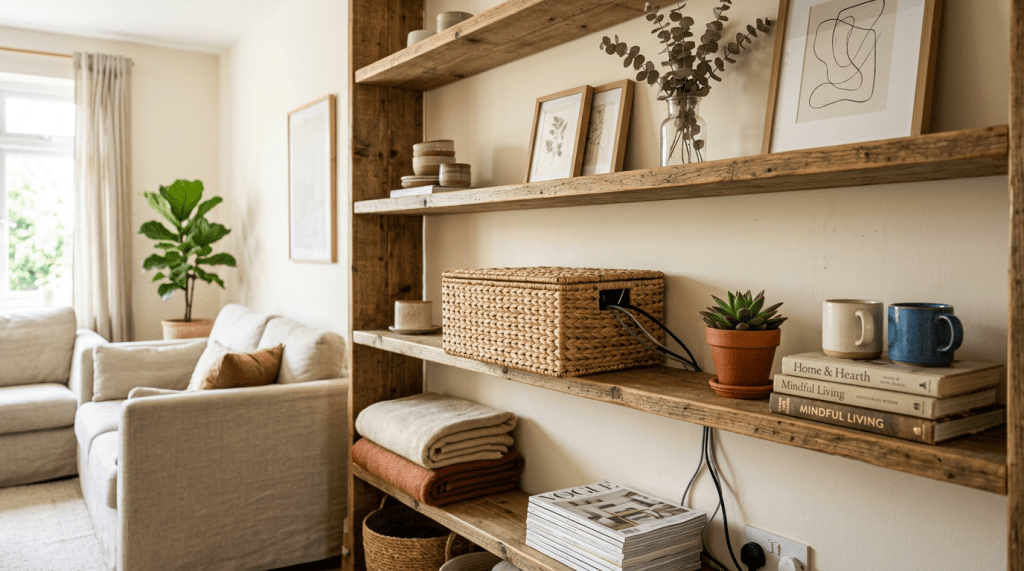
You know that blinking blue light. The one that pulses, steady and relentless, from somewhere across the room. Your router. Your internet lifeline. Also let’s be honest one of the ugliest objects most of us own, sitting right there on open shelving like it pays rent.
Here’s what nobody tells you when you’re styling a home: tech clutter doesn’t just look bad. It registers. Your brain, especially in the winding-down hours before sleep, picks up on visual noise and treats it as a signal to stay alert. Blinking LEDs, coiled cables, the industrial black plastic of a router these aren’t neutral. They’re stimuli. And if you’ve ever felt irrationally unsettled in a room that should feel relaxing, the culprit might be hiding in plain sight on your bookshelf.
This post is about solving that. Practically, beautifully, and without sacrificing your WiFi signal for the sake of aesthetics. I’ll walk you through how to hide a router in open shelving using methods I’ve tested and styled across different room layouts in my own home because most of what you’ll find online is written by people who’ve never had to make a shelf actually look good afterward. We’ll deal with every cable the router drags along with it, tackle the LED problem nobody talks about, and leave your living room, bedroom, or home office with the visual quiet it deserves.
Why Your Brain Notices the Router More Than You Think
Neurologically, blinking lights at the periphery of your vision are processed as potential threats. It’s a survival hangover movement in low light used to mean predators. Today it means your router is doing a firmware update, but your amygdala doesn’t know that. It just knows something is moving in the dark.
The same principle applies to visual clutter more broadly. Open shelving that mixes decor with tech creates what designers call high cognitive load your brain can’t file it neatly. It keeps scanning. That low-level scanning is exhausting, and it’s why a messy room can make you feel tired in the wrong way. Not sleepy. Wired.
I wrote about this exact dynamic when covering stress-reducing morning routine decor that resets your nervous system but the same logic applies at night. The aesthetic choices you make in your space are directly tied to how your nervous system performs in it. Hiding your router isn’t vanity. It’s sleep hygiene.
The Real Problem with Open Shelving and Routers
📌 Quick Answer: How do you hide a router on an open shelf safely?
To hide a router on open shelving without losing WiFi signal, place it inside an open-weave rattan basket, a slatted wooden box, or behind a false front of paperback books. Ensure at least two inches of clearance on all sides for ventilation. Avoid any metallic enclosures they create a Faraday cage effect that blocks your signal entirely.
Open shelving is gorgeous in theory. Sculptural objects. A few books. Maybe a trailing plant. But somewhere along the way, the router got placed there because honestly where else do you put it? It needs to be central. It can’t go in a drawer. And so it ends up sandwiched between your favourite candle and a wicker basket, broadcasting WiFi and visual chaos in equal measure.
The cables are the second problem. One router can generate three to five cables: power, ethernet in, ethernet out, maybe a coax. They don’t stay tidy. They migrate downward toward the floor, gather dust, and catch the eye constantly. On open shelving, there is nowhere to hide them which means hiding them requires intention.
Why “Just Covering It” Isn’t Enough
A lot of quick-fix advice tells you to throw a decorative box over your router and call it done. The problem? Routers generate heat. Enclosing them completely can throttle performance or, in some cases, create a genuine fire risk with cheaper devices. Any concealment solution needs airflow. This isn’t optional it’s safety-critical.
Signal matters just as much. A dense wooden box on a low shelf is going to degrade your WiFi meaningfully particularly for devices upstairs or on the opposite side of a wall. The goal is to make the router disappear visually while remaining functionally present. That’s a design challenge, and one I’ve worked through multiple times in my own home across different shelving configurations.
How to Hide a Router in Open Shelving: 7 Methods That Actually Work
1. The Rattan Basket with a Cable Exit Hole
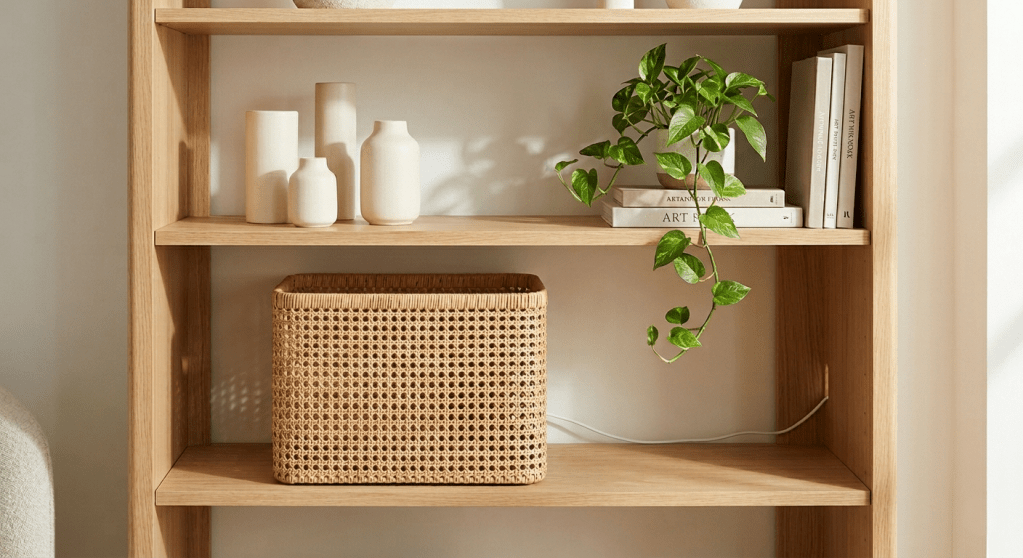
This is the method I return to most consistently and the one I’ve used in my own living room open shelving layout. A medium-sized rattan or wicker basket with an open weave allows adequate airflow while visually absorbing the router completely. Cut a small hole in the back for the cables, thread them through, and the front face reads as pure texture. Place it at mid-shelf height (signal radiates better outward and upward from there), and you’ve solved the problem in one afternoon.
In the open shelving vignette I styled for a recent living room refresh, I paired a natural rattan basket at mid-shelf with a tall ceramic vase to the left and a trailing pothos to the right. As you can see in the styling mockup for this layout, the height variation is doing all the heavy lifting the basket reads as intentional decor, not a cover-up.
Choose a basket at minimum two inches wider and taller than your router on all sides. Open weave not solid is non-negotiable for both heat and signal.
2. A Hinged Slatted Wooden Box
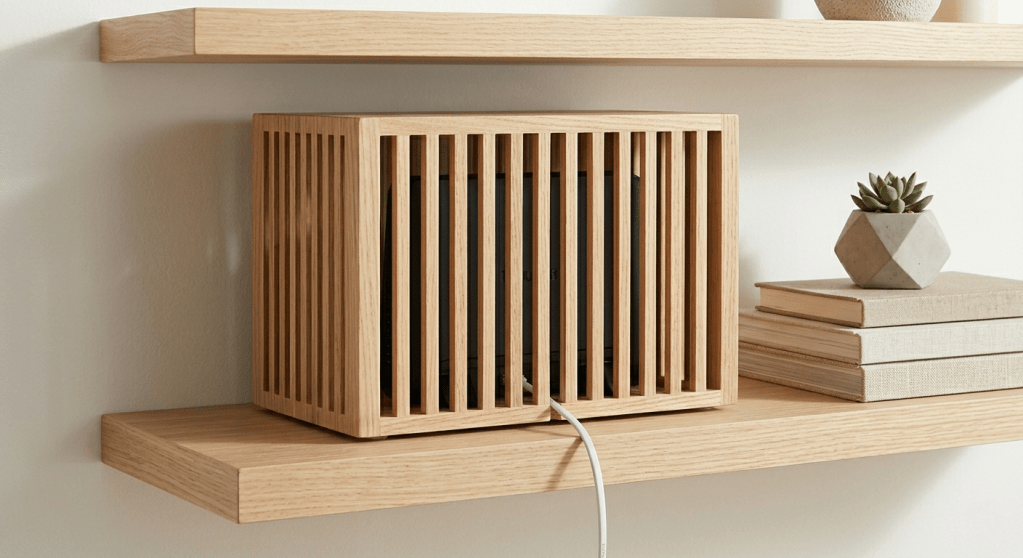
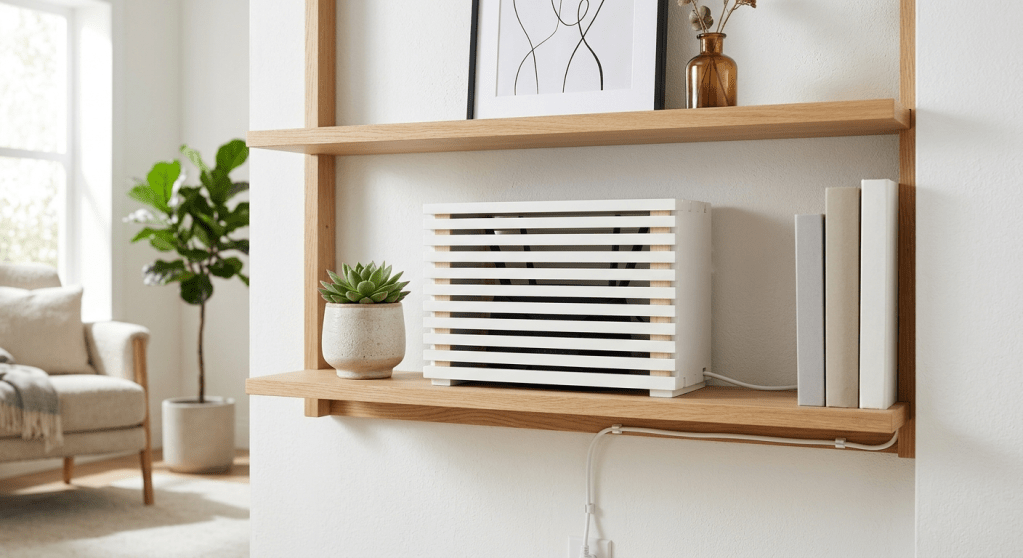
For a more architectural look, a slatted wooden box the kind sold for cable management in Scandinavian home stores gives you clean lines with ventilation built into the design. The slats allow heat to escape and signal to pass with minimal degradation. A hinged front lid means access for resets without dismantling anything. Paint it to match your shelving unit and it disappears entirely into the composition.
3. A False Front of Paperback Books
Genuinely underrated and completely free if you already own books. Position the router directly behind a row of paperbacks, paperbacks rather than thick hardcovers, which block more signal. Create a false front that stands a few inches in front of the router. The visual reads as a normal bookshelf. The router breathes freely behind it. WiFi signal passes through paper almost unimpeded.

4. Dedicate One Modular Cube to a “Tech Zone”
In KALLAX-style cube shelving, designate one cube entirely to tech and use a fabric or rattan insert as the front panel. These cube storage bins slide out easily when you need access and cover the interior completely when closed. Every cable lives inside that one cube. The rest of your shelving stays serene and uncompromised.
5. Vertical Cable Channels Along the Shelf Side Panel
The cables trailing down from the router are often more visually offensive than the router itself. Paintable cable raceways a few euros at any hardware store adhere to the side or back panel of a shelving unit, then get painted to match. They snap open for access and close flat. From two feet away, invisible. This single step transforms how an entire wall of shelving reads.
6. The Decorative Tray Boundary
If full concealment isn’t possible no solid shelf backing, or renting without drill permission a large decorative tray with tall sides corrals the router and creates a visual boundary. It doesn’t hide it, but it frames it, separating it from your decorative objects and signalling to the brain that this is a designated utility zone. Surprisingly effective at reducing the perception of disorder.
7. Relocate with a Mesh Network Satellite Node
If you have a mesh WiFi system Eero, Google Nest, Ubiquiti satellite nodes are small enough to live behind furniture, inside a cabinet, or on a high shelf entirely out of sightlines. Your main hub near the modem stays accessible. Everything that extends the network can go wherever it looks best. This is the long-game solution. Worth every cent if aesthetic control matters to you across the whole home.
Cable Management Room by Room
In the Living Room
Run cables behind skirting boards using adhesive cable clips renter-friendly, removable, and invisible once painted. Where cables must cross open floor, flat adhesive cable covers lie flush with the surface. For a television wall, a surface-mounted recessed cable channel kit routes everything cleanly without professional installation.
On open shelving that doubles as a TV console, bundle cables with velcro ties rather than zip ties velcro is reusable and adjustable as your setup evolves. Route along the back of the unit, out of sightlines from the main seating position. Zero visible cable from the sofa is the benchmark.

In the Bedroom
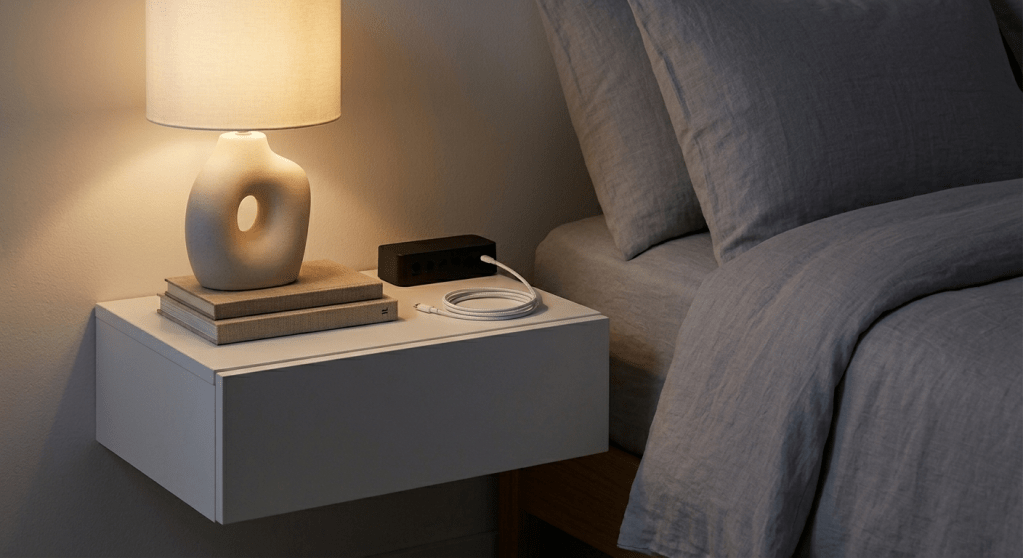
The bedroom is where visual stimulation does its most lasting damage to rest. Charging cables on nightstands are the standard offender, a bedside organizer with built-in cable ports routes everything neatly downward rather than pooling on the surface. For router shelving in a bedroom, repeat the rattan basket method, eliminate LEDs, and treat cable routing as non-negotiable rather than optional.
If your bedroom doubles as a home office common and increasingly norma the overlap of work tech and rest space requires deliberate thought. I went deep on this in my piece on stylish work-from-home office spaces that preserve maximalist energy without visual chaos. Visual separation between work tech and rest zones is one of the highest-impact moves you can make for sleep quality.
In a Maximalist Home
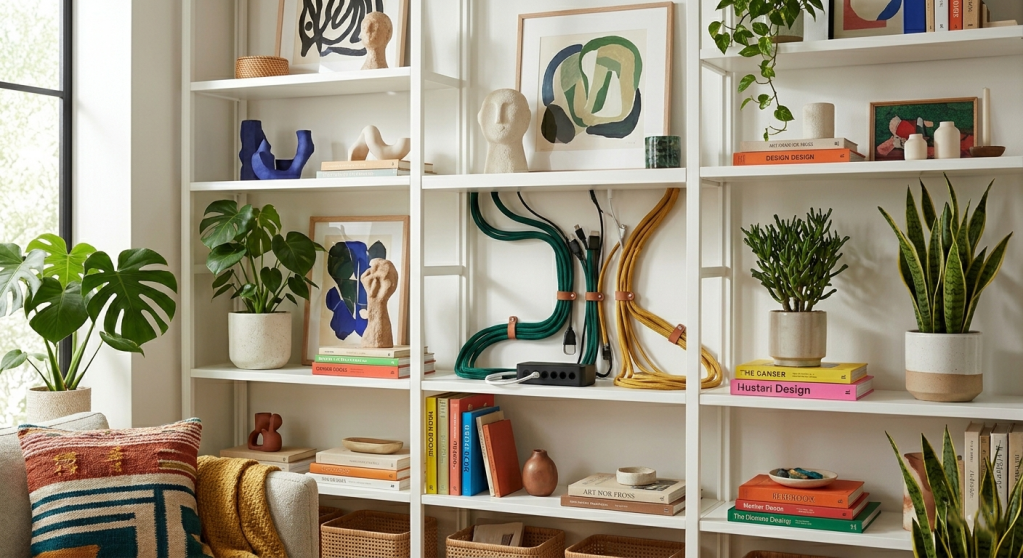
Maximalism and wire management are not enemies they just need a different approach. In a visually rich space, cables read as chaos because they break the rhythm of intentional pattern. The solution isn’t stripping back. It’s integration. Colored cable sleeves that complement your palette. Macramé or leather cable ties as a styling detail. Routing along gallery wall edges so cables become part of the visual composition rather than an interruption of it.
I covered the full strategy for hiding clutter stylishly inside maximalist homes there’s significantly more nuance to the approach than most minimal-aesthetic guides will acknowledge.
The LED Problem: Small Lights, Serious Sleep Disruption
Blue and white LED indicator lights on every router, smart hub, and charging brick emit light at wavelengths that suppress melatonin production. Documented physiology, not aesthetic preference.
Even low-intensity LED exposure in a dark bedroom can delay sleep onset by twenty to thirty minutes. Most people who’ve invested genuine effort in bedroom aesthetics still have four or five of these tiny lights running unchallenged at 2 a.m.
LED Fixes That Cost Almost Nothing
Electrical tape is free and immediate. LightDims makes stick-on dimming dots in multiple opacities the more considered version of the tape approach, invisible from across the room. Many routers allow full LED disabling from the admin panel (search your router model name plus “disable LED” to find the exact setting). Smart plugs with bedtime scheduling cut power to non-essential devices entirely at a set hour.
Physical concealment plus LED management together is genuinely transformative. The difference between a room with five active indicator lights and a room with none is felt the moment you walk in a visual quietness that carries directly into how you sleep.
Signal-Safe Styling: What Not to Do
- Metal containers. Any metal enclosure creates a Faraday cage and eliminates your signal. The most common DIY mistake in this space. Avoid entirely.
- Fully closed cabinets. Heat buildup is a safety risk. Signal degradation through solid MDF or wood doors is severe. If a cabinet is the only option, leave the door ajar or drill ventilation holes in the back panel.
- Directly behind the television. Your TV already interferes with the 2.4GHz WiFi band. Placing the router behind it doubles that interference.
- On the floor. WiFi signal radiates outward and slightly downward from the internal antenna. Floor placement works against the device’s own physics. Mid-shelf height is where the signal performs best.
- In moisture-adjacent spaces. Any cabinet near a fish tank, humidifier, or bathroom wall introduces humidity risk. Slow damage that’s easy to prevent and difficult to diagnose once it starts.
Styling the Tech Shelf: Making a Utility Object Look Intentional
Once the router is concealed and cables managed, the shelf itself deserves the same design attention as every other surface in your home. This is the step most tech-organization guides skip entirely and it’s the one that distinguishes “organized” from “beautiful.”
Treat the tech shelf as a vignette. Give it a visual anchor a plant, a ceramic object, a stack of design books that draws the eye and establishes the shelf as a designed space rather than a utility zone. The basket or box containing your router becomes part of the composition, not an explanation sitting inside it.
Height variation is the principle doing the most work. A flat basket surrounded by equally low objects reads as storage. The same basket flanked by a tall narrow vase and a small sculptural piece reads as a curated arrangement. The eye interprets height variation as intention. It interprets uniformity as accident.
This is the same thinking I applied when working on a very different kind of utilitarian styling challenge if you’ve read my post on how to style a plastic folding table to look high-end for a dinner party on a budget, you’ll recognise the logic immediately. Any object, however functional, becomes deliberate with the right layering, proportion, and surrounding context. A router basket needs exactly the same considered eye.
Renter-Friendly Versions of Every Solution
Every method in this article is achievable without drilling a single permanent hole. The rattan basket requires nothing fixed to the wall. Adhesive cable raceways peel off cleanly. Velcro ties leave zero residue. Fabric cube inserts for modular shelving are fully reversible. None of this requires a landlord conversation.
The one investment worth making if you haven’t already: a mesh WiFi system. The flexibility to place satellite nodes anywhere in a room rather than being tethered to wherever the modem port lives opens up the entire aesthetic equation. Your main hub stays where the infrastructure is. Everything else can go where it looks best.
Renters working on broader sensory room upgrades will find that acoustic treatment pairs naturally with this visual work. The same logic driving cable concealment reducing unnecessary stimuli for your nervous system to process applies to sound. My guide on aesthetic acoustic wall panels for renters who want better sound without permanent installation is a natural companion to everything covered here.
Frequently Asked Questions About Hiding a Router on Open Shelving
Will hiding my router in a basket slow my internet speed?
Not if the basket has an open weave. Rattan and wicker allow WiFi signal to pass through the gaps with negligible loss. What degrades signal is dense material solid wood, metal, thick fabric. Keep the weave open, clearance generous (two inches minimum on all sides), and your speed readings will be functionally identical before and after.
Can I put a router in a closed cupboard?
A fully closed cupboard creates two simultaneous problems: heat buildup (a fire risk with some lower-cost routers) and meaningful signal degradation through solid MDF or wood doors. If a cupboard is the only option, either leave the door ajar or drill ventilation holes in the back panel and a cable exit point. Never seal a router into an enclosed space with no airflow.
Do router LED lights actually disrupt sleep?
Yes, measurably. Blue and white LED wavelengths suppress melatonin the hormone your body uses to initiate sleep. Even low-intensity exposure in a dark room can delay sleep onset by 20 to 30 minutes. Cover them with electrical tape, use LightDims dimming dots, or disable LEDs through your router’s admin panel. Minimal effort, meaningful result.
What is the best renter-friendly cable management approach?
Adhesive-backed cable raceways (painted to match wall colour), velcro cable ties, and fabric cube inserts for modular shelving all reversible, all commitment-free, all leave walls undamaged. For cables crossing skirting boards, peel-and-stick cable clips hold cleanly and remove without marking.
What materials should I never use to hide a router?
Never use metal containers of any kind Faraday cage, signal eliminated. Avoid dense solid-wood boxes without ventilation gaps. Avoid placement directly behind a television or on the floor. These four mistakes account for the vast majority of “I hid my router and now my WiFi is terrible” complaints.
The Invisible Home: A Worthwhile Project
Here’s what I keep returning to, both in my own home and in every decor conversation I have: people dramatically underestimate how much ambient tech clutter affects their daily felt sense of a space. They optimise the major decisions furniture, colour palette, lighting temperature and then accept the router as a fixed, immovable variable. It isn’t. It’s as solvable as anything else on that shelf.
A basket. Some velcro ties. A piece of electrical tape. These are not grand interventions. But collectively, they change the quality of what it feels like to be in a room. They make it easier to exhale when you walk in. Your brain scans for stimuli, finds none, and stops scanning. That’s the actual goal not a showroom, not a Pinterest fantasy. Just a space that lets you rest.
Start with the router. The rest follows naturally.
Found this useful? Save it to Pinterest or share it with someone whose living room router is also judging them. And if you’re mid-refresh on a full room, my posts on stress-reducing morning routine decor and stylish storage for clutter-prone homes are a natural next step.
embed
 Linda Designs | Home Decor, Interior Design & Lifestyle Inspiration